
How can we add another charity administrator?
There is no limit to the number of charity administrators you can have on GiveWheel. Having multiple administrators can be helpful, allowing different members of your organisation to access fundraising, donation and payout information.
We don't have a charity administrator yet
If your charity doesn't currently have a registered administrator, you'll first need to claim your charity on GiveWheel.
To get started, visit:
www.givewheel.com/register/non-profit
Simply select your charity from the dropdown list and complete the short registration form.
Once approved, you'll gain access to your Charity Dashboard, where you can:
View fundraiser, donor and payout reporting.
Connect or update your charity's payment method.
Customise your charity's public profile.
Manage other charity administrators.
We already have a charity administrator
If your charity already has a registered administrator, adding another is quick and easy.
Step 1: Ask the new administrator to create a GiveWheel account
Before someone can be added as a charity administrator, they must first create a GiveWheel user account using the email address you'd like to grant access to. This allows us to link their existing user account to your charity.
Step 2: Send an administrator invitation
Once they've created their account:
Log in to your Charity Dashboard.
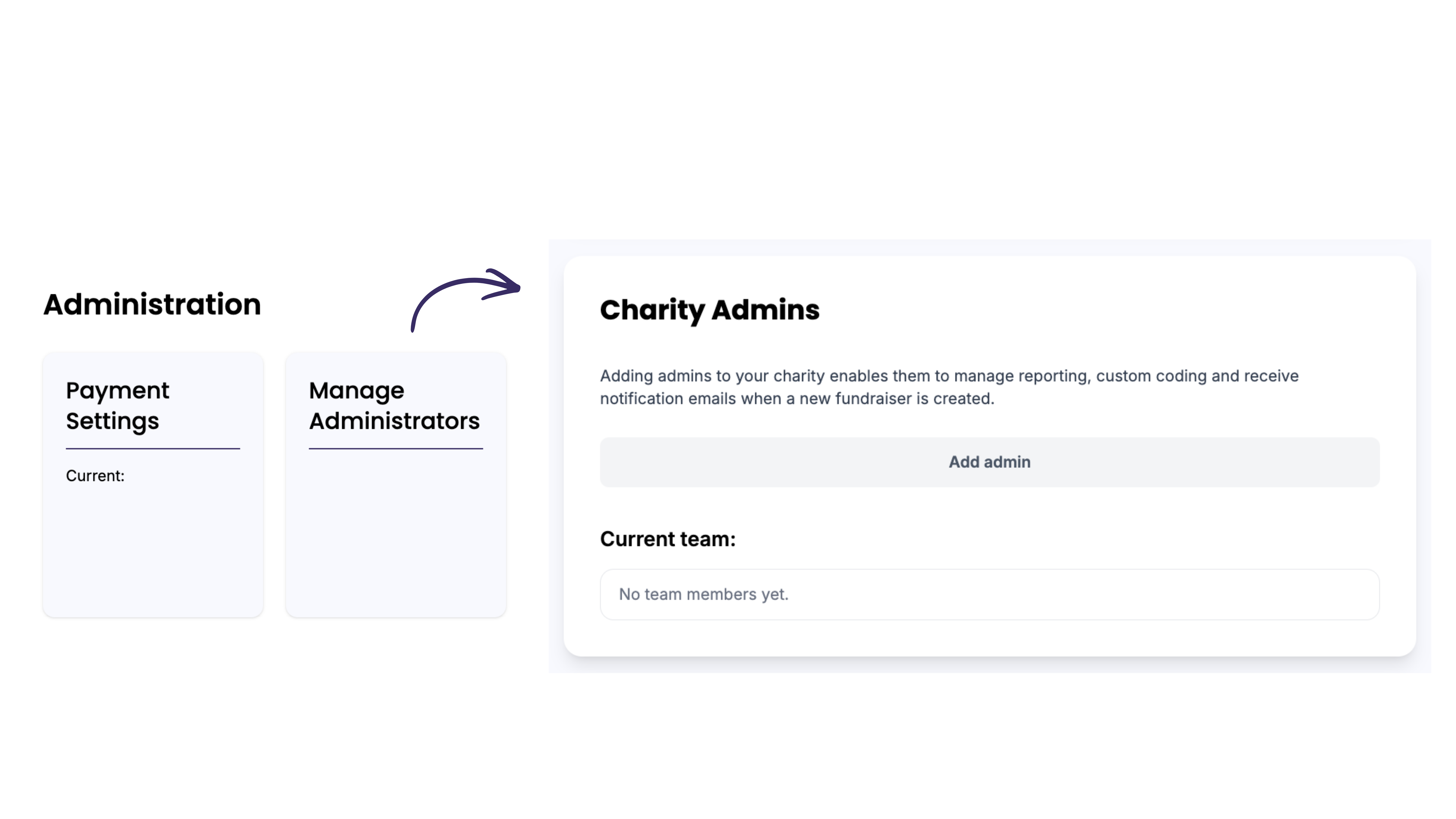
Scroll down to Manage Administrators.
Enter the new administrator's email address.
Send the invitation.
They'll receive an email inviting them to claim administrator access to your charity.
Please note: For security purposes, new charity administrators must register using their organisational email address. The email domain should match your charity's verified domain, ensuring that only authorised members of your organisation can access fundraiser, donor and payout information.
What can charity administrators access?
Charity administrators have access to their own personal GiveWheel Charity Dashboard, where they can:
View fundraiser, donor and payout reports.
Manage payment methods.
Create official charity fundraisers.
Update the charity's public profile.
Add or remove other charity administrators.
Need help?
If you encounter any issues when it comes to adding an admin, or have any questions relating to charity administration, just contact our support team at support@givewheel.com and we will be happy to help.